
The first six weeks decide whether a student stays or goes.
First Six is a white-labelled companion that carries every commencing student through those first six weeks, and shows your team who needs a hand, from the students themselves.









One in eight
domestic students don't come back for second year.
The first weeks, before census, are when a new student decides whether this is their place, and when support is easiest to offer.
How First Six fits.
How First Six fits.
How First Six fits.
It fits alongside what you already run. It replaces nothing.
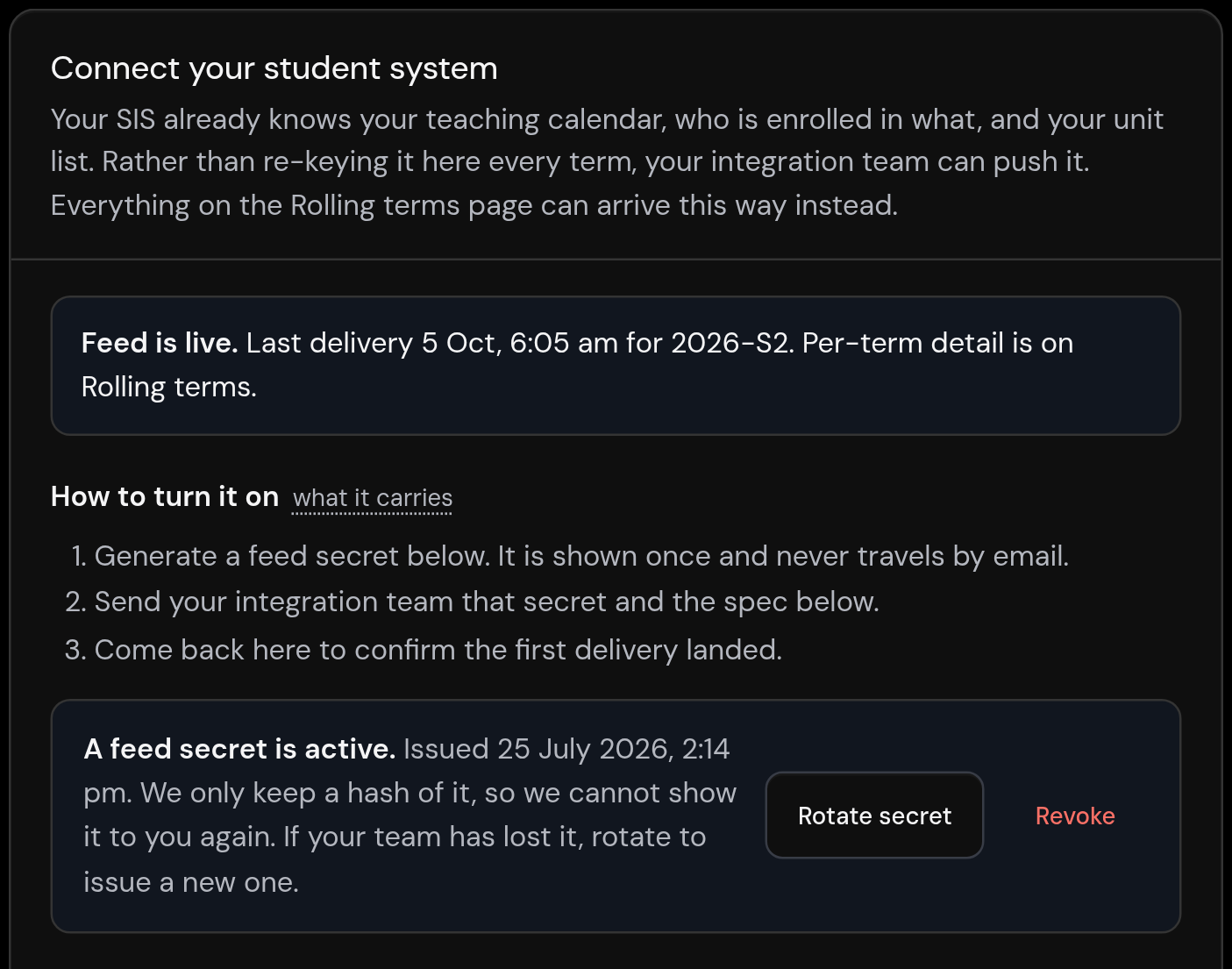
First Six is not another LMS, SIS or CRM, and it does not try to be. Your learning platform, your student system and your CRM stay exactly where they are, and roster data reaches First Six as a simple push from your student system or a CSV. First Six fills the one gap they leave open, the human side of a student's first six weeks, and hands the signal back to your team.
- Your LMS runs the coursework. First Six helps a student find their footing.
- Your SIS holds the record. First Six hears how the week is going, in the student's own words.
- Your team makes the call. When a student asks for help, it reaches a real person on your team.
Support for Students Policy.
Built for the Support for Students Policy.
Built for the Support for Students Policy.
Since 1 January 2024 every provider has needed a Support for Students Policy, including how it identifies students at risk of not completing their units. First Six gives your team an early, documented signal from students themselves, and a record of the support that followed.
The weekly check-in is your early signal. The help routes and the human-answered inbox deliver non-academic support and record it. The weekly briefing puts your supports in front of students in plain language. And the Support for Students evidence pack gives you de-identified, aggregate figures, with small groups withheld, for the report due each 1 March. The policy and the report stay yours; First Six helps you evidence them.
Belonging is the leading indicator.
Belonging is the leading indicator.
Belonging is the leading indicator.
First Six is built to make belonging visible: you are one of many here, you are not the only one finding this week heavy, and here is one small, low-stakes way to connect this week.
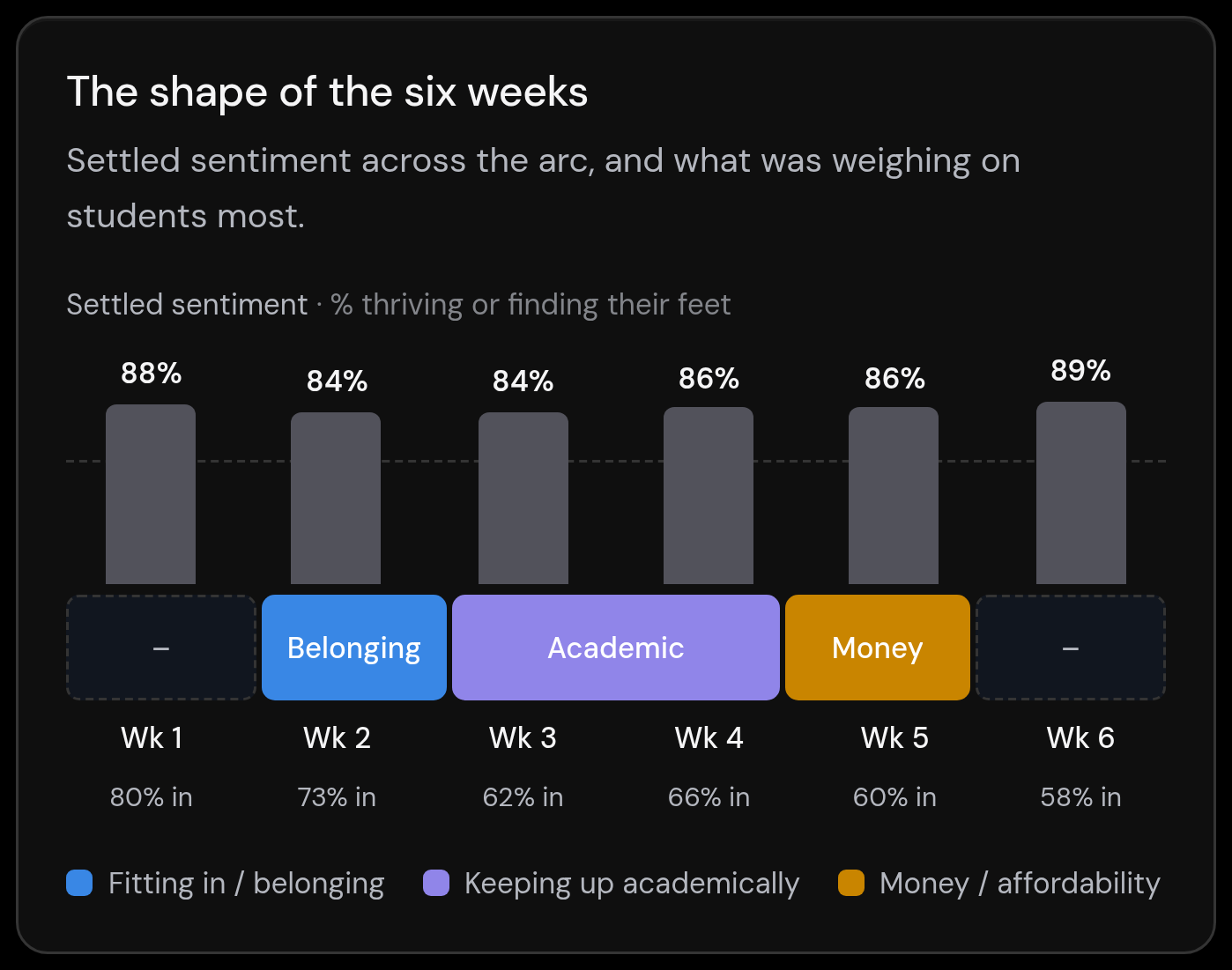
We are honest about what we measure. Belonging and engagement are leading indicators: they move before retention does, which is what makes them useful to act on early. We do not claim a retention number we cannot stand behind. Join the signal to your own enrolment records and you can test the link for your own cohort. Until then, we report the signal, not a promise.
Care, without surveillance.
Care, without surveillance.
Care, without surveillance.
By default, staff see how the cohort is feeling in aggregate, with any group smaller than five held back so no one can be singled out. Support staff responsible for a cohort can open an individual student's check-ins when they need to, and every one of those looks is recorded in your audit trail.
Students are told exactly what staff can see. Needs attention works from three published rules that read only what students chose to say in their check-ins, never log-ins, clicks or page views, and there is no predictive risk score. Help always comes from a real person on your team: the student app contains no AI, and no student records reach any AI. Sign-in runs through your own single sign-on, and your data can be exported whenever you ask.
For Staff
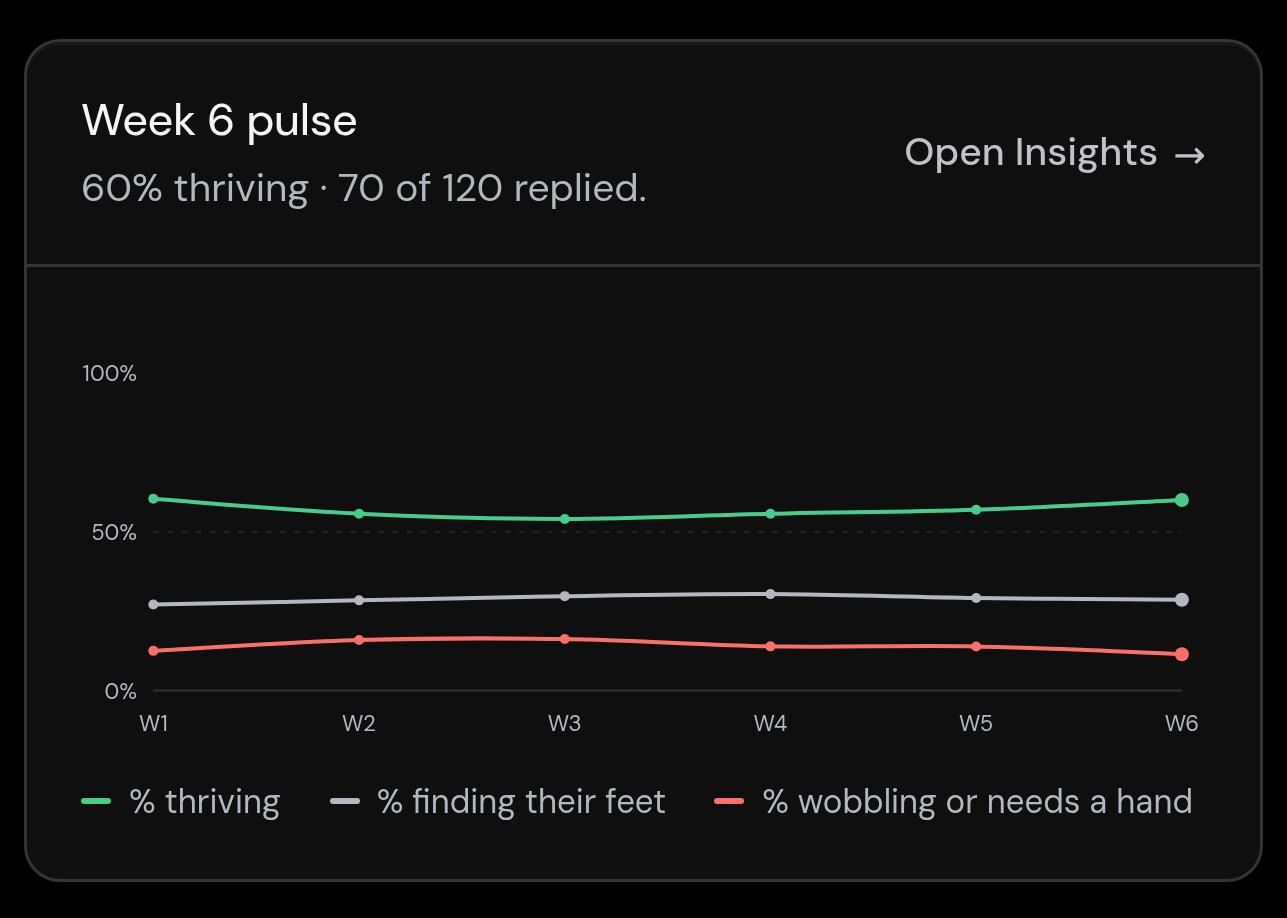
Read how the cohort is feeling, and respond to the students who reach out. You see the shape of the room without watching anyone, act while it still matters, and keep a record of the support you gave.
For Students
First Six meets a student where they actually are. Each week it surfaces the few things that matter and the few worth doing, points them to the right help from a real person, and asks how they are going. A calmer way through the first six weeks, and beyond.
The window
The weeks before census are the window.
First-year attrition for domestic commencing bachelor students fell to 12.2% for the 2023 cohort, from 14.7% the year before. The Department of Education links part of that fall to providers identifying disengaged or non-genuine students before census dates, so it says as much about who stays enrolled past census as about better first years.
Either way, the weeks before census are the window. A new student is still deciding whether they belong here, and a timely word from the right person has the most room to help.
Source: Department of Education, Key findings from the 2024 Higher Education Student Statistics.
Where First Six lands.
The first six weeks, done properly.
For students, and for your team.
Author the full six weeks
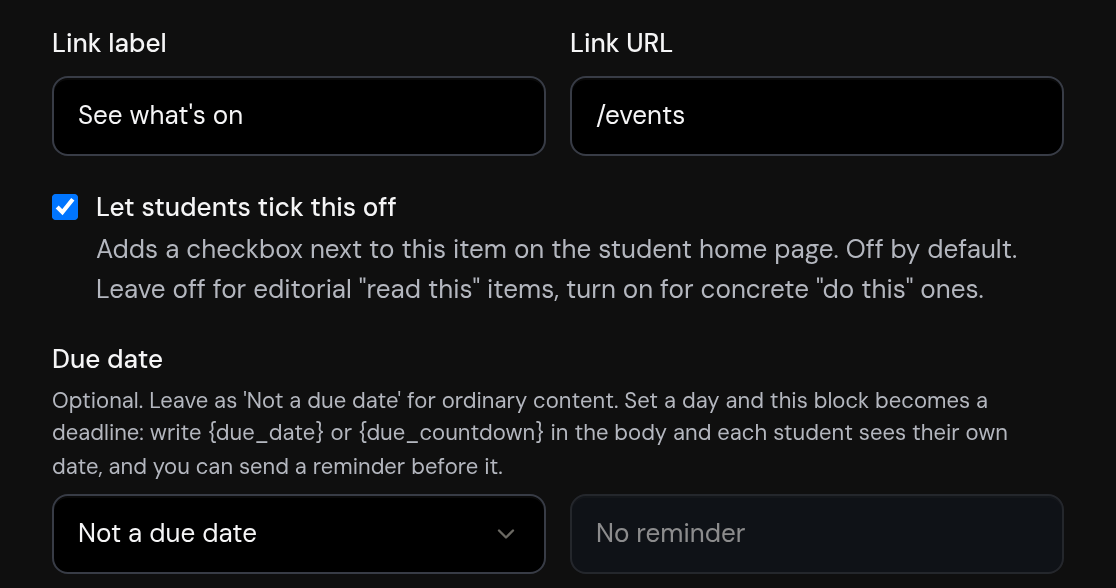
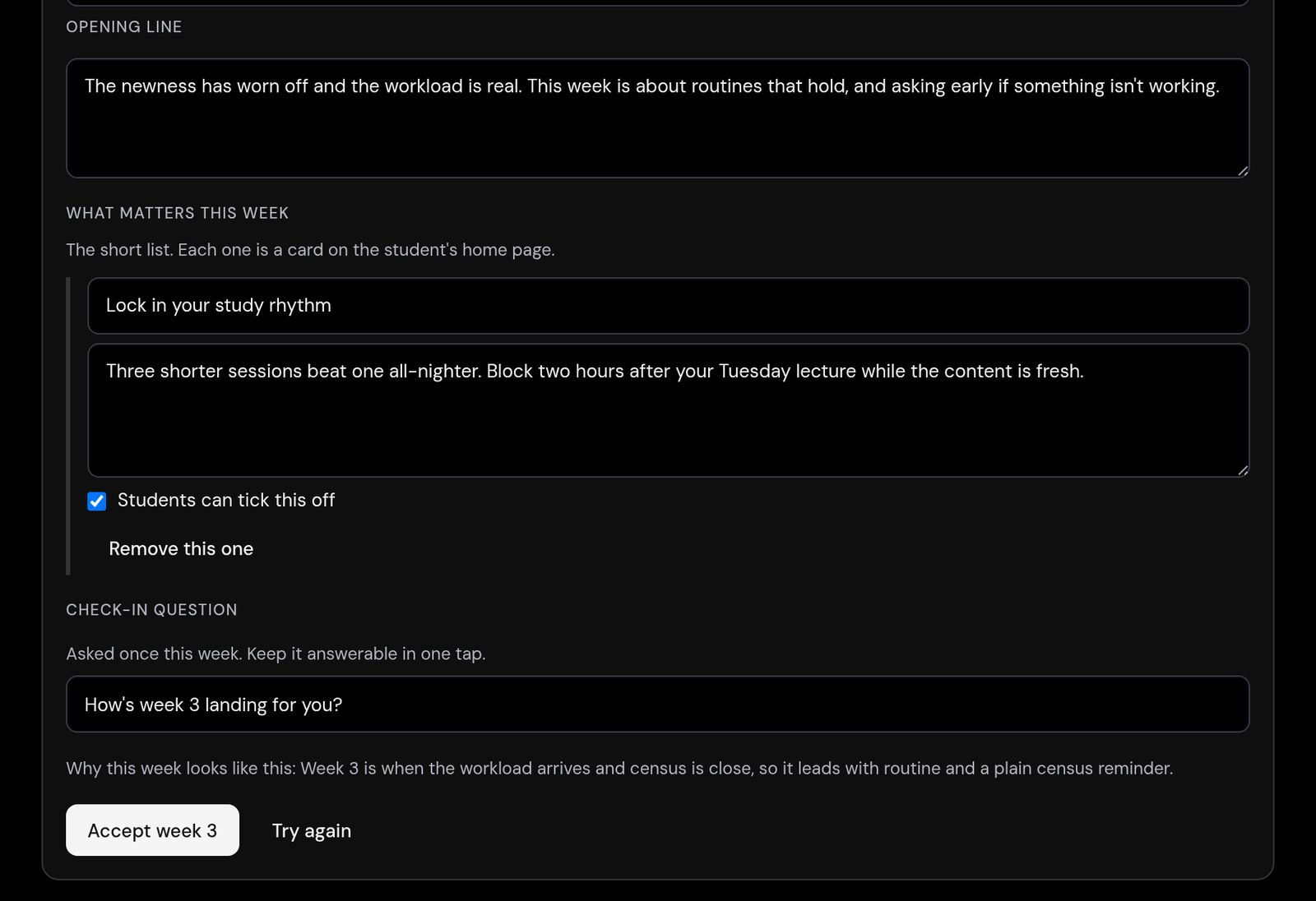
Write every week's briefing, add events and actions students can tick off, build ahead in draft, and preview it exactly as a student will see it before publishing.
See how the cohort feels
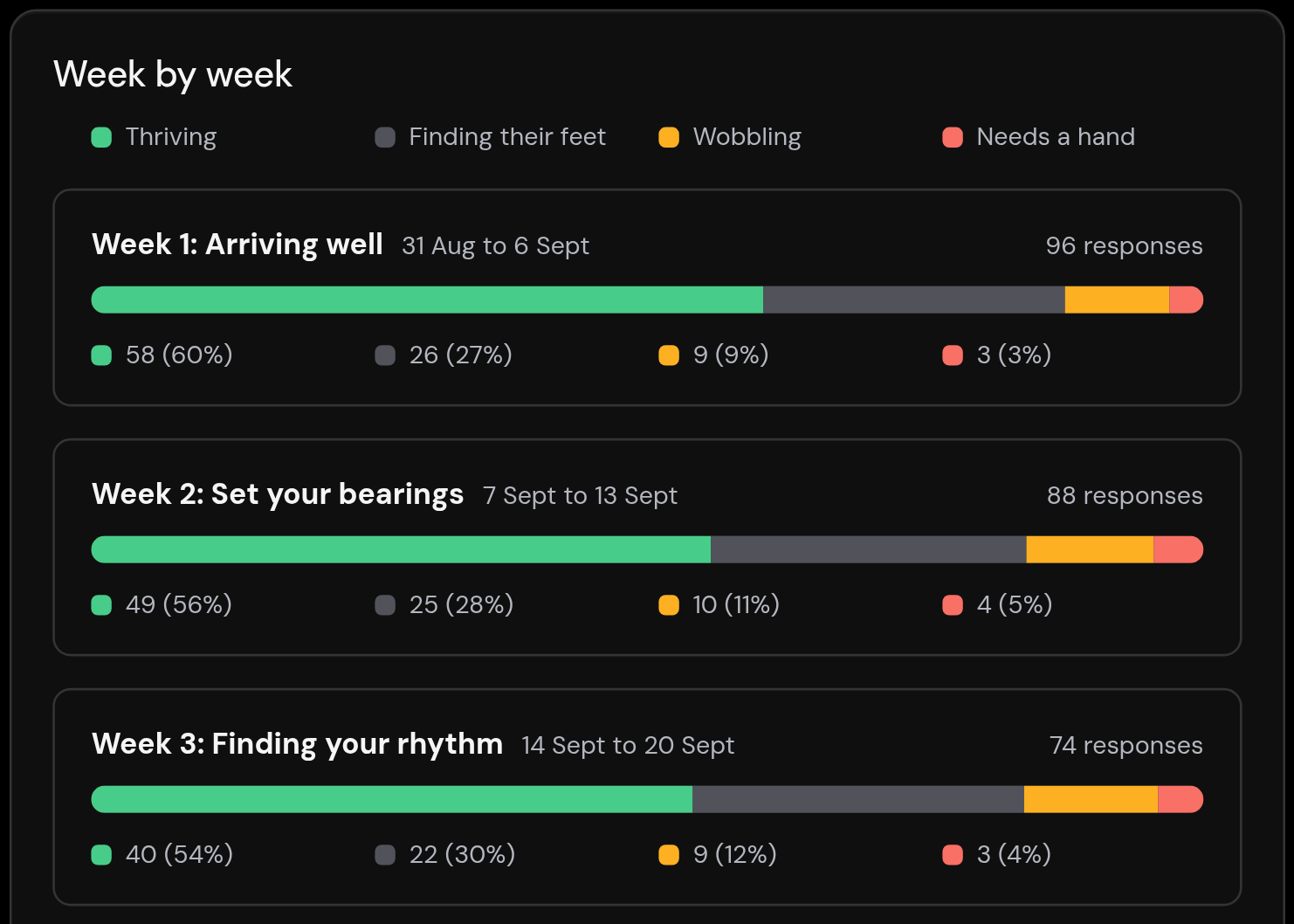
An aggregate read of how the cohort is feeling week by week, with small groups held back, and a Support for Students evidence pack ready when the annual report is due.
Respond to who needs help
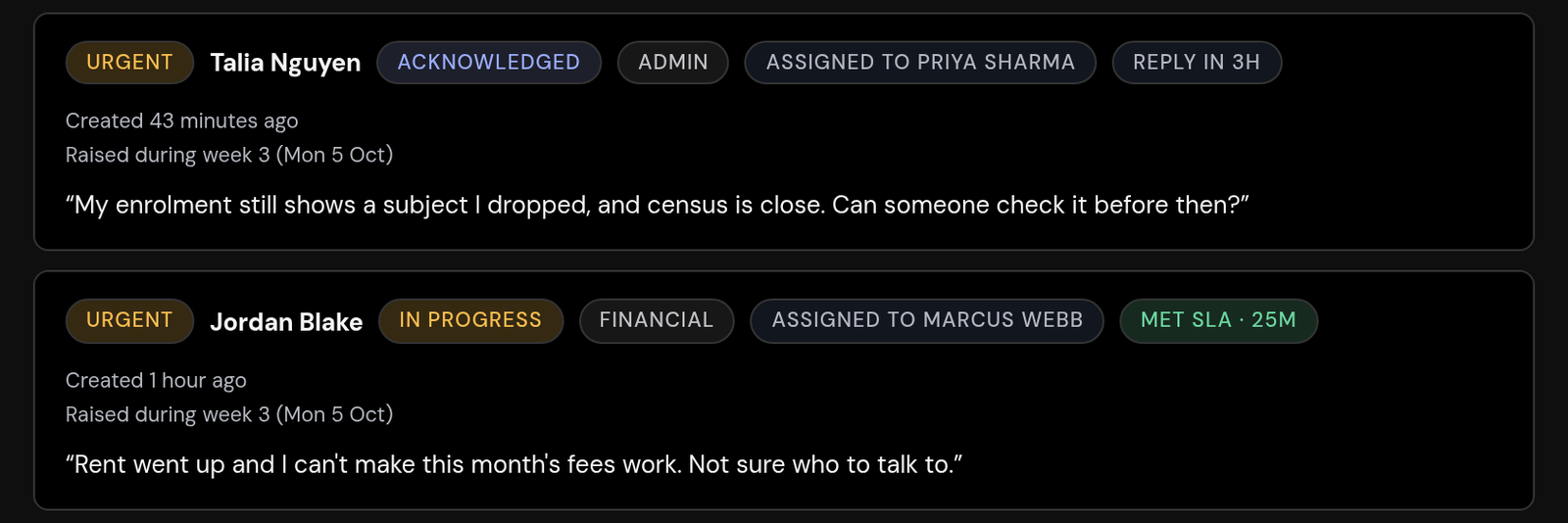
An inbox of the students who asked for help, urgent and possible-crisis requests first, that your team assigns, answers and tracks against clear response targets.
Target by audience, no spreadsheets
Aim any briefing or event at the right students using groups synced from your enrolment data or built by hand, like first-in-family.
.svg)
Draft faster, review everything
A staff-only writing assistant that drafts briefing blocks, events and answers for your team to review and publish. It never writes to students, and no student records reach it.
Your brand, your team, your data
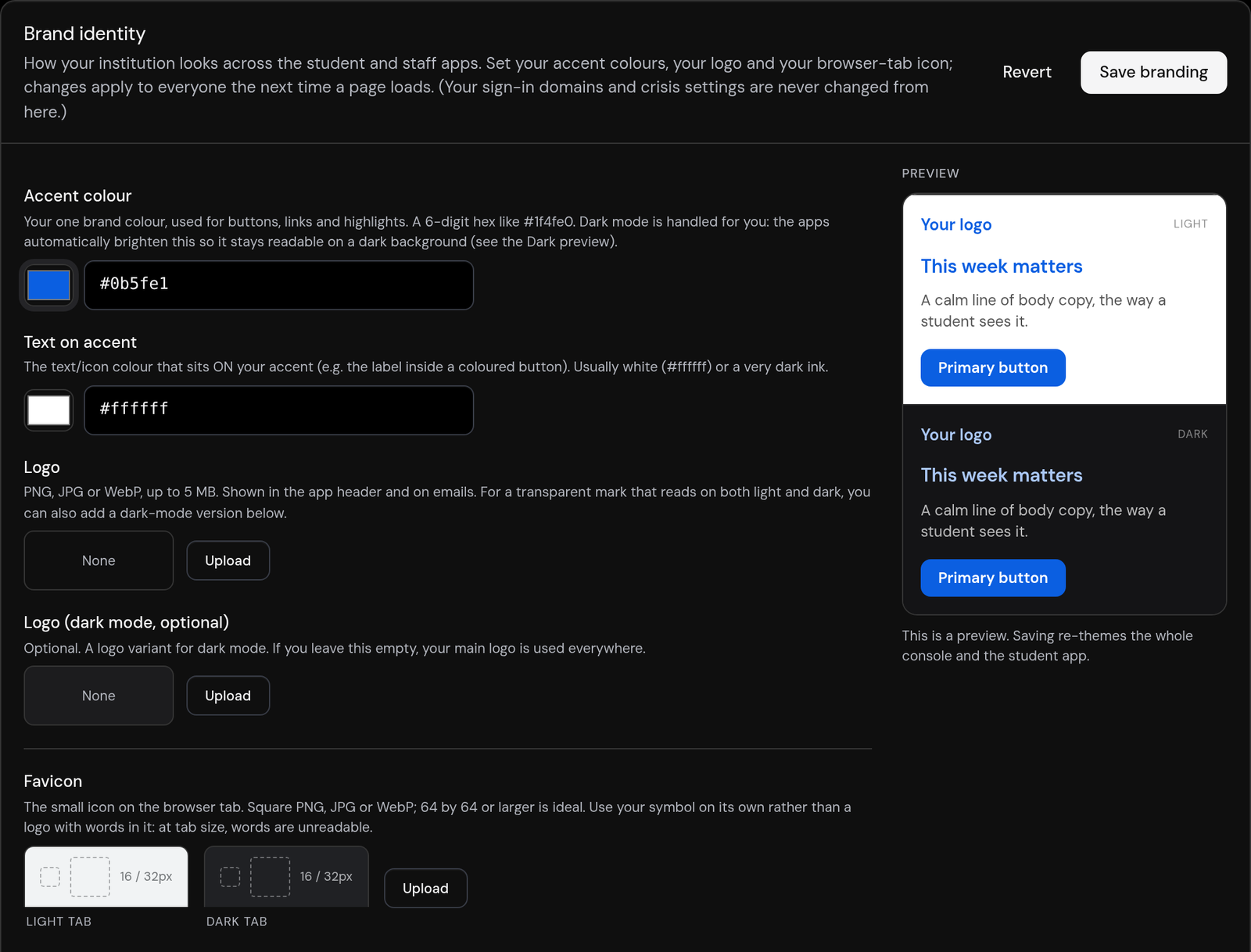
Set your own accent colour and logo with a live preview, switch features on or off, give your team the right roles, and keep a full audit trail, with CSV export whenever you need it.
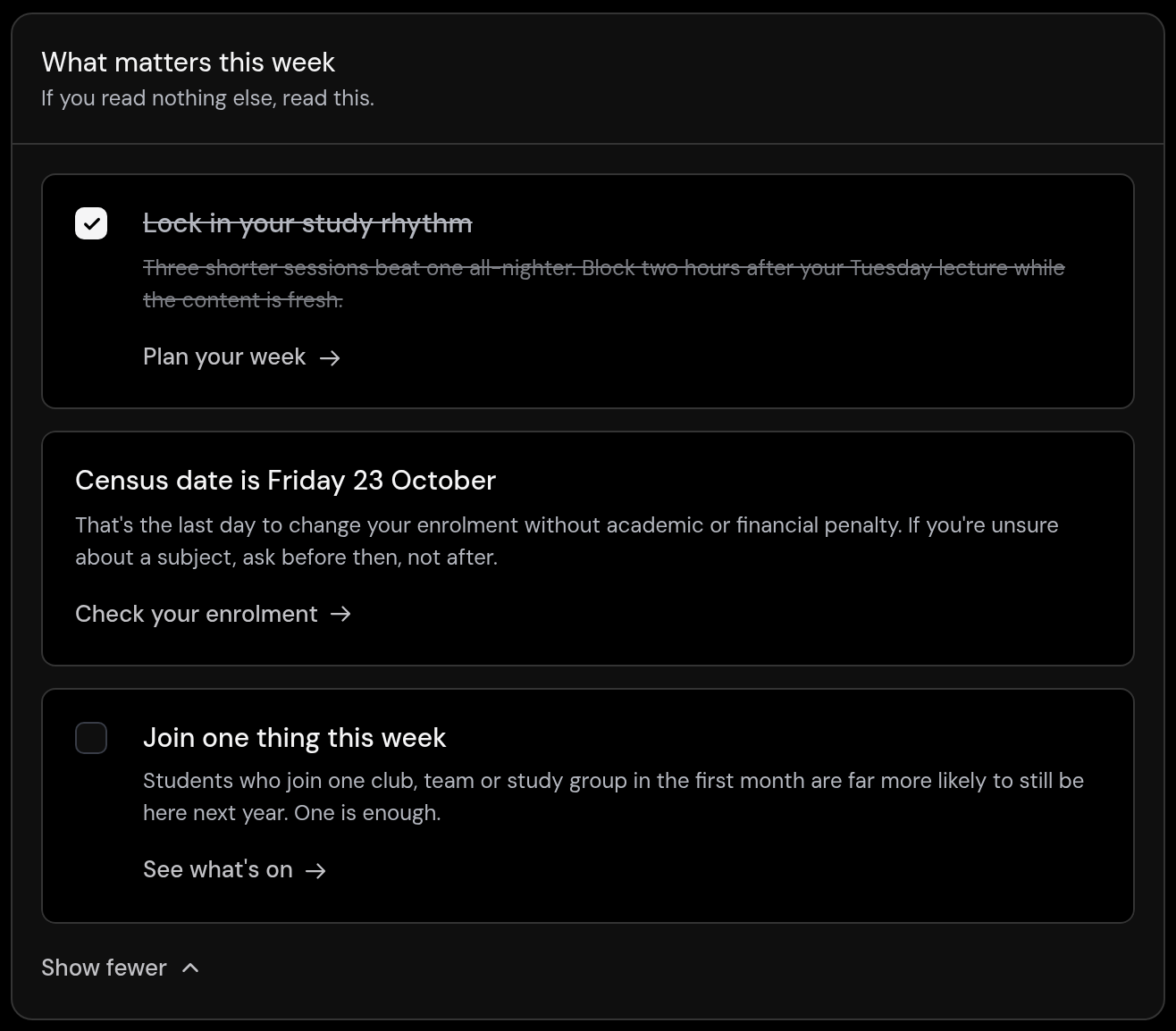
A weekly briefing, not a portal
One page each week with the few things that matter and the actions worth ticking off, across a six-week arc from 'Welcome' to 'You made it'.
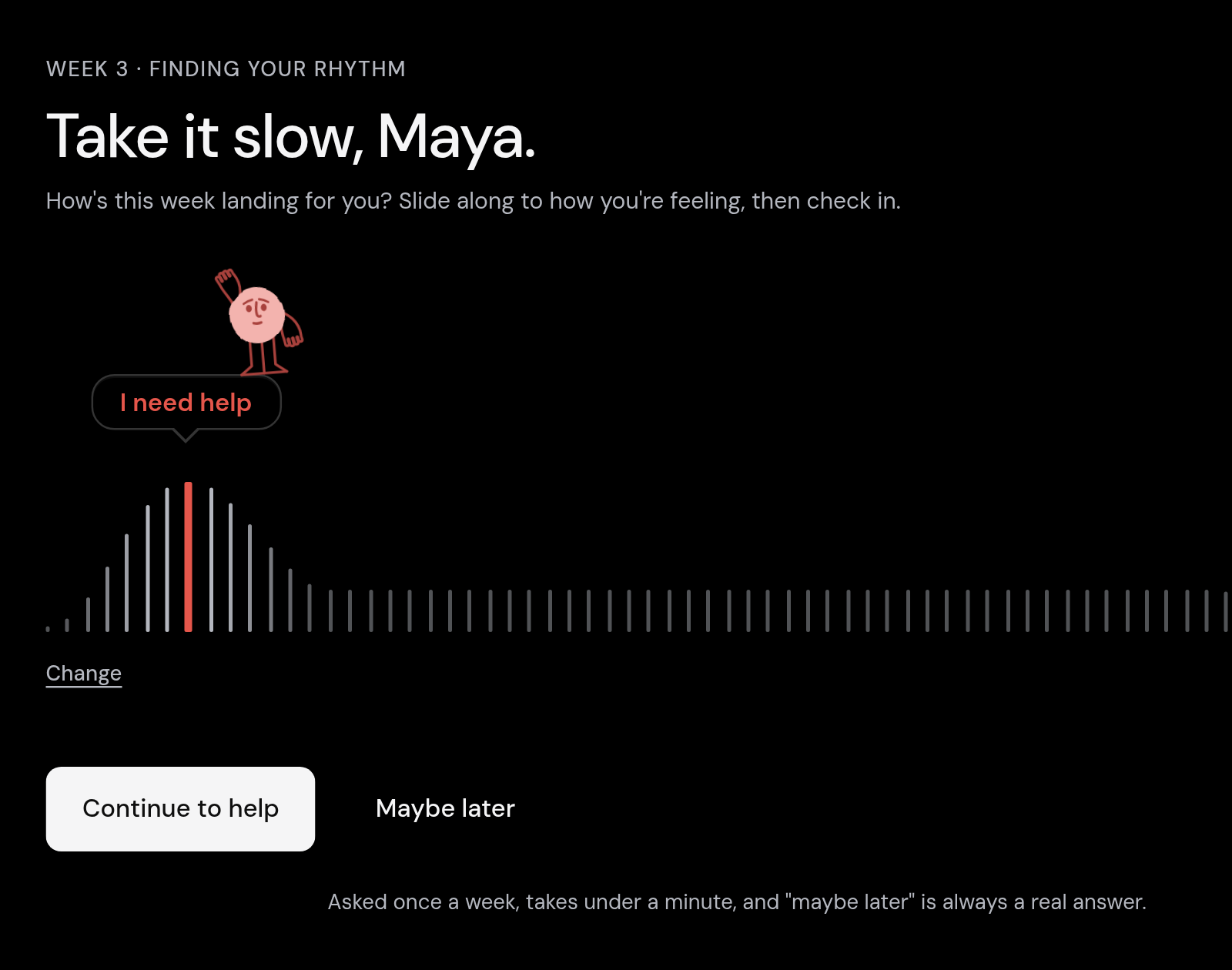
A check-in that catches the wobble
One light question on how the week is going. Choosing "I need help" opens a direct path to a real person on the team.
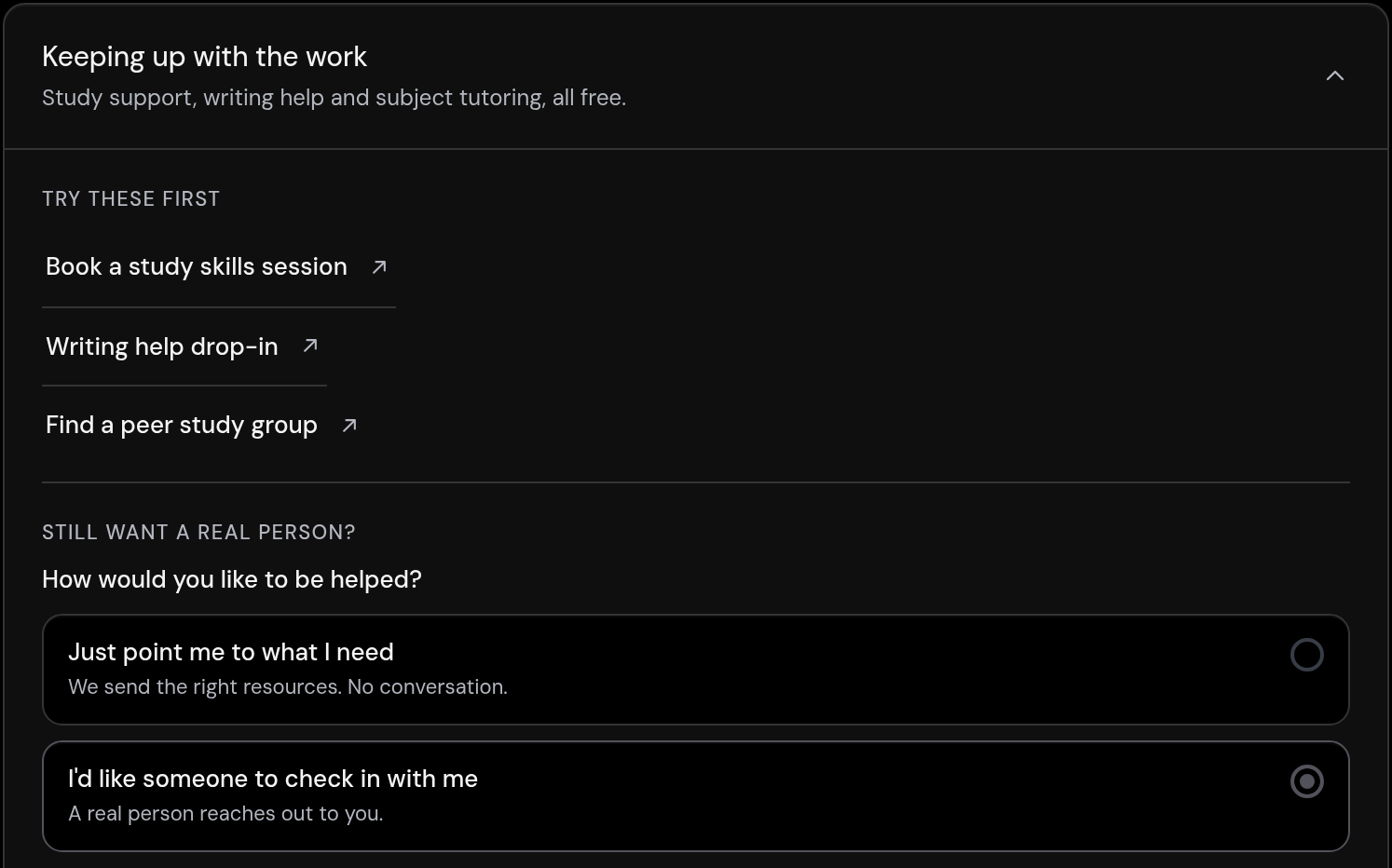
Help from a real person
A private way to ask for help that reaches a real person on your team, never an AI.
A planner for your coursework
A personal workspace with a board or a list, subject tags, due dates, a focus timer, and notes you keep as you go.
.svg)
Your whole week, organised
A timetable you build by adding or pasting in your classes, with this week's events filtered to you and ready to add to your calendar.
.svg)
Everything you need, in one place
The links, campus maps, human-written answers, and saved items a student actually reaches for, grouped the way they think.
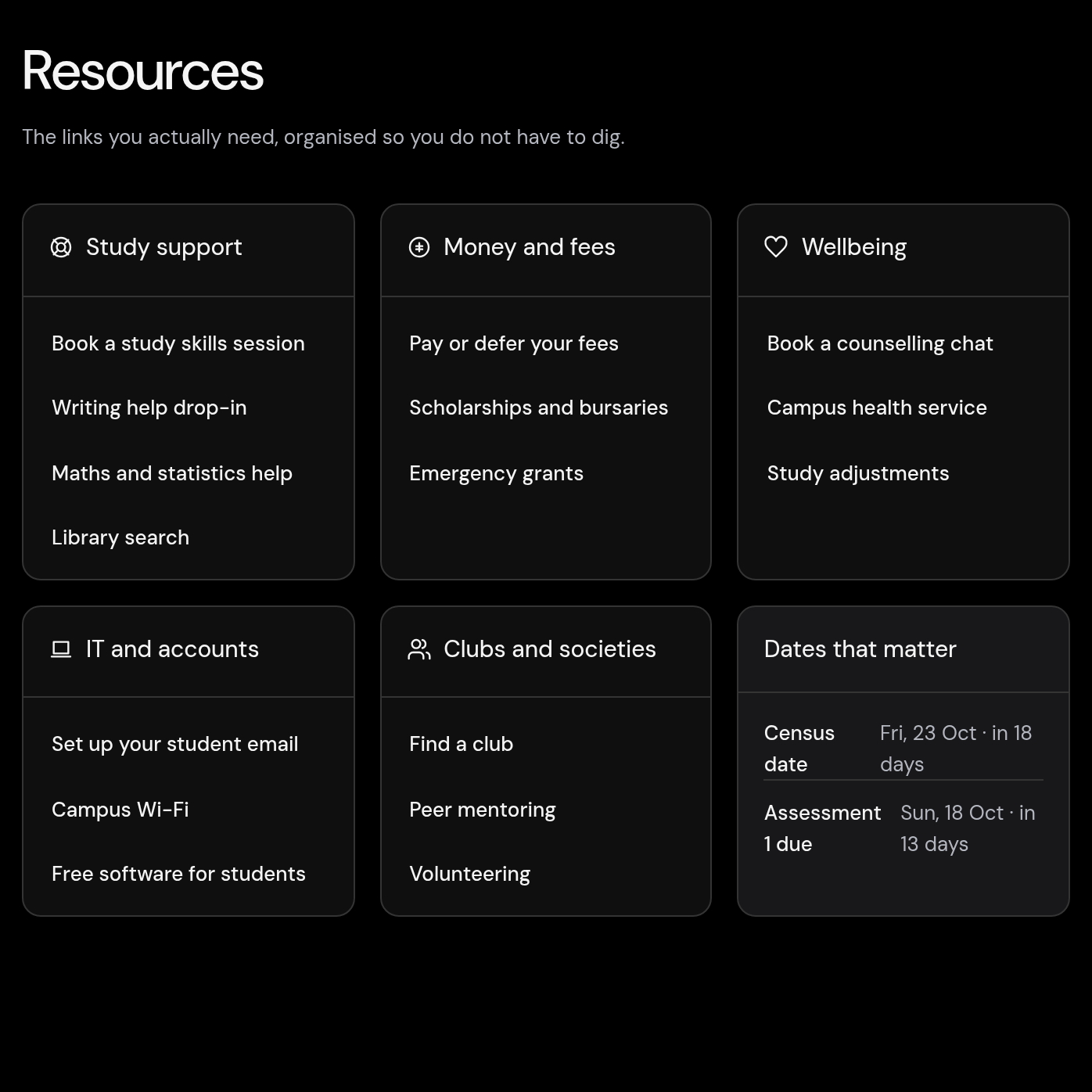
For students
Everything a new student needs, in one calm place.
Instead of five logins and a firehose of email, each student opens one clear view built around their course, their campus, and the week they're in.
A weekly briefing keeps them oriented, their timetable and tasks sit side by side, and the events that build belonging are easy to find. Less overwhelm, more momentum.
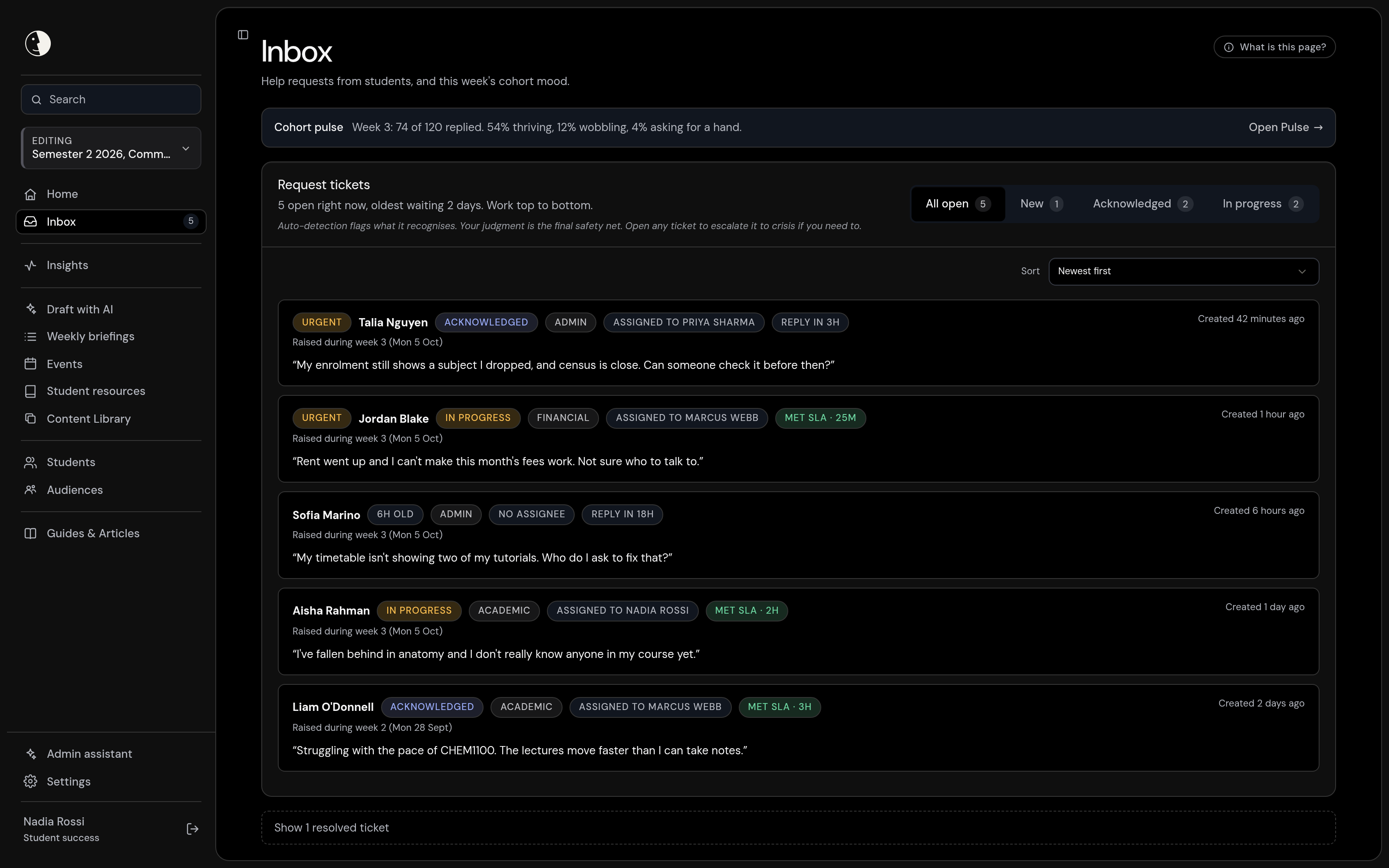
Build the whole six weeks.
Author every week's briefing, its events and the actions students can tick off, all in one place. Start from a template, build the later weeks ahead in draft, and aim anything at the right students by campus, program or group.
Before it goes live, preview the week exactly as a student will see it, so nothing reaches them you have not stood behind.
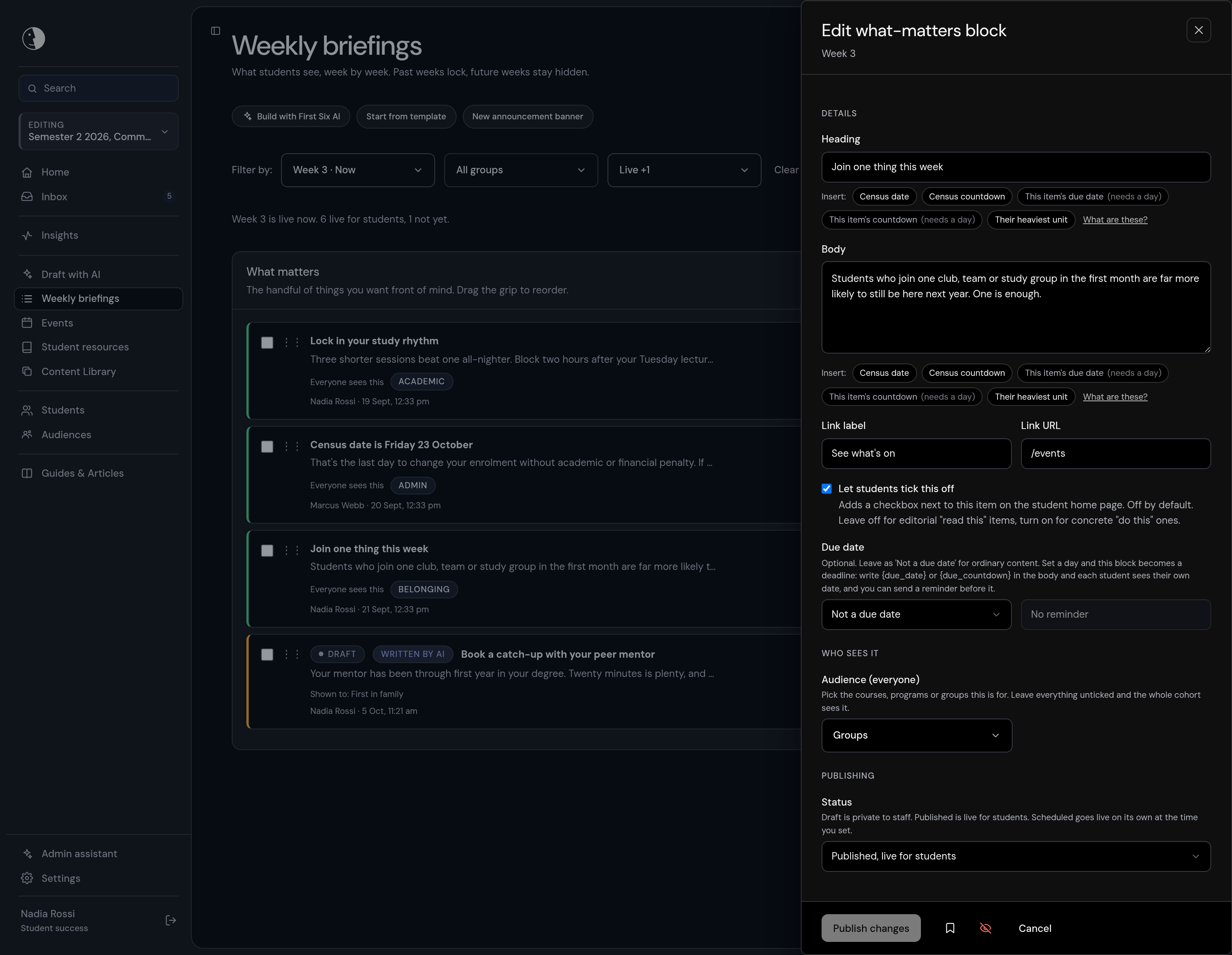
See how the cohort feels.
The weekly check-in rolls up into a clear read of the whole cohort, week by week, in aggregate, with any group smaller than five held back.
You catch a heavy week while there is still time to act, and the Support for Students evidence pack is ready when the annual report falls due.
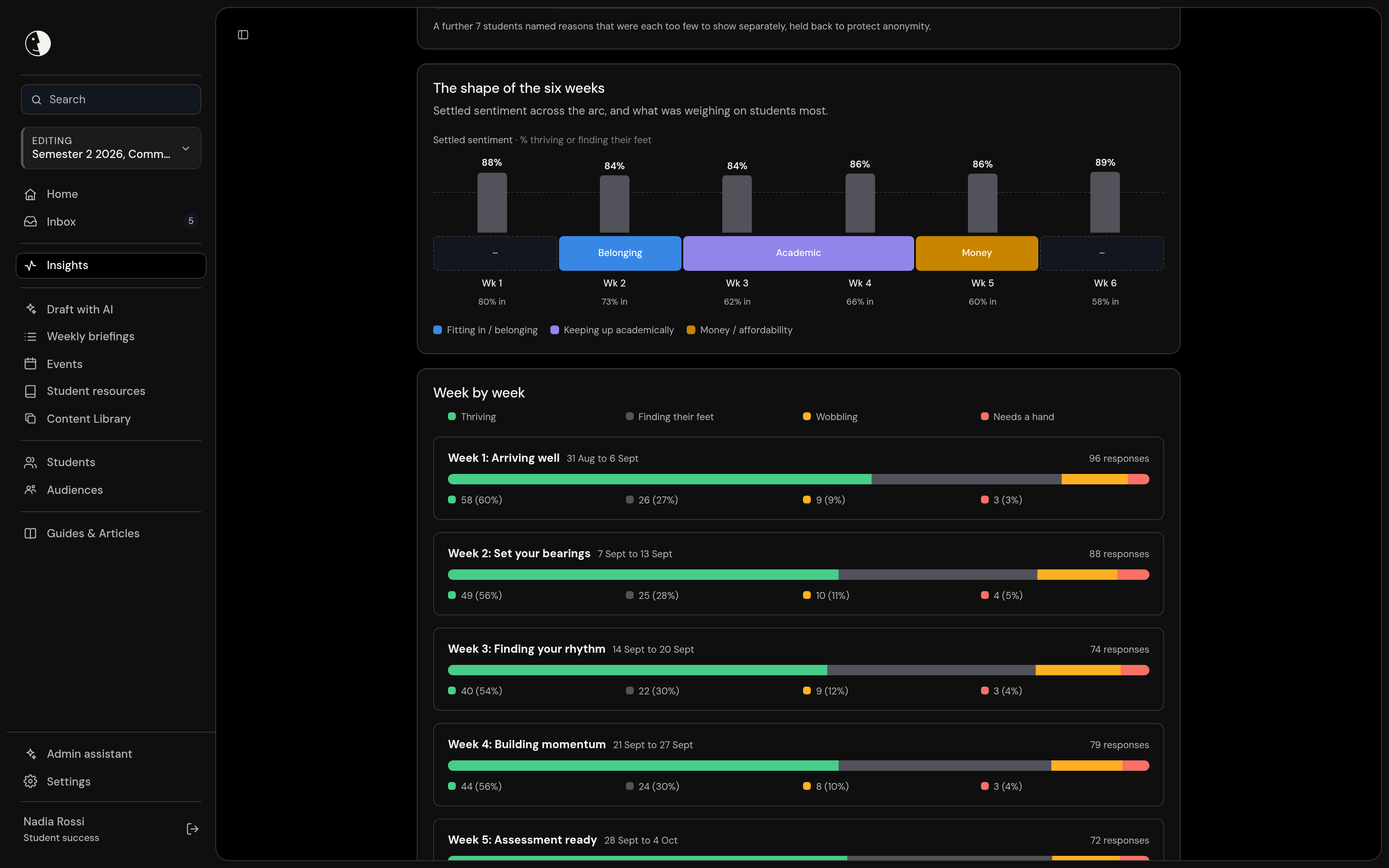
Respond to the students who ask for help.
Every student who raises their hand lands in one inbox, the urgent ones first, each assigned to a real person and tracked against clear response targets. Replies come from your team in a private thread, never an AI. When a request uses urgent language it is marked as a possible crisis, the student is shown immediate-support options, and the staff you nominate are alerted at once, so your own crisis protocol can take over.
Why
choose First Six.
Clarity
Get a read on how your commencing cohort is doing, and the tools to act before week six is over.
Every request for help arrives in one place, sorted and ready, with a clear path for higher-acuity situations that hands off to your own crisis protocol rather than leaving a staff member to guess.
Belonging and engagement shown in aggregate as leading indicators, never dressed up as a retention number we cannot stand behind. Whether a student stayed enrolled is something only your own records can confirm.
Author each week's briefing, events and tick-off actions, with clear status for what is in draft, scheduled, published or not yet prepared, across all six weeks at once.
University-synced groups stay locked and correct because the university already owns them, while your team can build custom audiences with full control when a moment calls for it.
Tracked checklists for one-time setup like launching a new cohort, and reference guides for the recurring jobs, so a new staff member is never lost on their first day.
Your accent colour and logo, set by your own admin with a live preview. To a student it reads as their university reaching out in the first weeks, not a third-party app.
Belonging
From before week 1 to the end of week six, a calm and human guide to starting well.
Each week, the few things that actually matter and the actions worth ticking off, written in plain human language. No portal to dig through and no noise, just what the week needs.
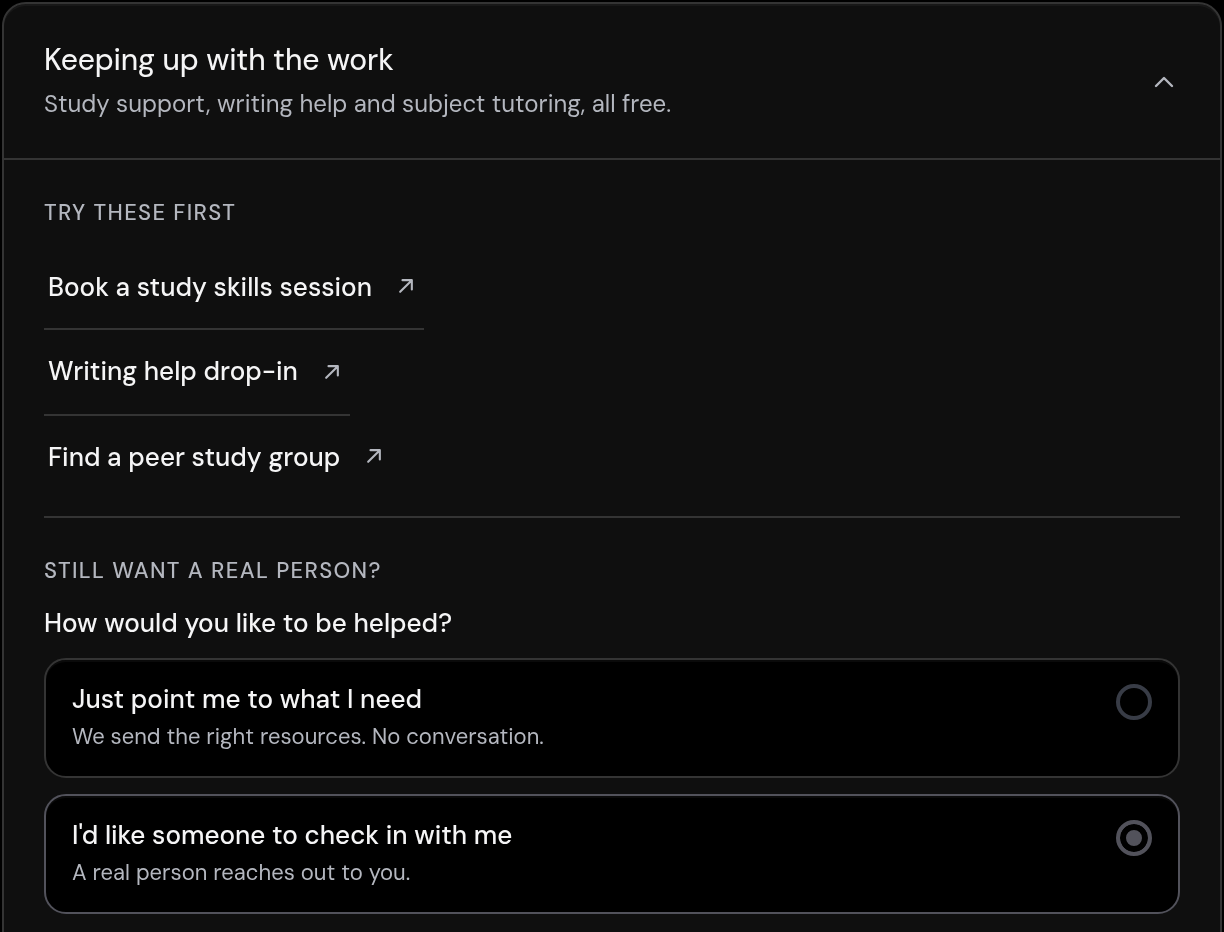
One light question on how the week is going. A moment to pause, and a private way to say when something feels hard, before it quietly becomes a reason to leave.
A private route to ask for help that reaches someone real on your team, with a safety net for higher-acuity moments that follows your own protocol rather than guessing.
What a student sees fits their program, their campus and when they started, so a first-in-family student or a later starter is not wading through messages meant for someone else.
They see that they are one of many, that a heavy week is normal, and where the next chance to meet people is. Belonging is what keeps a first-year from quietly drifting away.
Timetable, key dates, events worth going to, and a simple list of what to do this week, so nothing important slips during the weeks that decide whether a student stays.
A light workspace to keep their own notes and track their own week, sitting alongside the briefing. Theirs to use, or not.
For your team
Support that reaches the quiet ones.
The students most at risk are often the least likely to ask. A gentle weekly check-in gives them a low-stakes way to signal how they're going, and a hard week opens the right support straight away.
Your team reads how the cohort is settling in aggregate. Needs attention points to the students whose own check-ins say they are struggling, or who have gone quiet, using three published rules and no predictive scoring. Belonging built in, surveillance designed out.
AI helps your team, never your students.
We are deliberate about where AI belongs. It works behind the scenes to help your staff draft faster, and a person reviews everything before it is published. The student app contains no AI, no student records reach any AI, and no AI decides anything about a student.
AI that sounds like care is not care. We use it to give your team time back, so they have more of themselves to give to the students who need them.


Security, privacy and data
Built for a university security review.
Your IT, privacy and procurement teams will ask hard questions. Here are the short answers, with the detail in our Trust Centre, including what we have not done yet.
Student data held in Sydney
The data of record (database, sign-in and file storage) is hosted on AWS in Sydney. One encrypted backup copy is also held offshore, readable only with a key held offline, and every cross-border flow is disclosed.
Data residencyYour sign-on, your MFA
Staff and students sign in through your own identity provider over OpenID Connect, so your MFA and account policies apply. There are no First Six passwords, and sign-in never creates an account.
SecurityEvery sensitive look is logged
An append-only audit trail records individual profile opens, exports and access grants. First Six has no standing access to student records; your admin decides if we ever see one.
The audit logDesigned around the Australian Privacy Principles
We collect what the program needs: no passwords, no grades, no payment data. The student app contains no AI, and student data is never used to train AI models.
PrivacyHECVAT and procurement pack
A pre-filled HECVAT-Lite self-assessment, a Data Processing Agreement and our security documentation, shared under NDA. There is no ISO 27001 certificate or SOC 2 report yet: controls are mapped and self-assessed, and we say so.
HECVATAn accountable Australian company
First Six Technologies Pty Ltd holds cyber liability ($2M), professional indemnity ($10M) and public liability ($20M) cover, in force since 16 August 2026. Certificates of currency are available on request.
For IT and procurementImplementation
From first conversation to first cohort.
The usual path is a demo, then a pilot with a single intake, faculty or campus. Here is what each step asks of your team.
01
See it working
Open the live preview on a fictional university with synthetic data, then talk it through with us against your own cohort. No pitch deck required.
02
Scope a pilot
Pick one intake, faculty or campus. Agree which signals you will read, who responds to students who ask for help, and what you want to learn by census.
03
Connect sign-in and the roster
Your IT team connects single sign-on over OpenID Connect and sends the roster as a JSON push from your student system, or a CSV. A built-in test identity provider lets you try the whole sign-in flow first.
04
Write the weeks and launch
Your team writes the six weeks from ready-made templates and previews them as a student would. We plan for six to eight weeks from kick-off to launch, with IT, a wellbeing lead and comms at the table.
FAQ
Questions university teams ask.
How do universities identify students at risk in the first weeks?
Most combine several signals: academic progress, attendance, learning-platform activity and what students say themselves. First Six adds the last one, early and in the student's own words. A weekly check-in feeds a Needs attention list built on three published rules (wobbling, not started, gone quiet). It reads check-in answers only, never log-ins or clicks, and it never gives a student a risk score.
Is First Six an early alert system?
Partly. Early alert tools usually try to predict risk from learning-platform and enrolment data. First Six predicts nothing: students tell you how they are going, the ones who ask for help reach a real person, and your team reads the cohort in aggregate. It is an early-signal and routing layer, not a predictive model.
Does it help with our Support for Students Policy?
It helps you evidence it. The check-in is a documented way to identify students early, the help inbox records what support was offered and when, and the Support for Students evidence pack gives de-identified, aggregate figures for the annual report due each 1 March. The policy and the report remain the university's.
Is First Six a counselling or crisis service?
No. It is not a clinical service and it does not provide care. When a help request uses urgent language it is marked as a possible crisis, the student is shown immediate-support options (by default 000, Lifeline and Beyond Blue), and the staff you nominate are alerted at once. Your crisis protocol and duty of care stay in charge.
Does First Six use AI with students?
No. The student app contains no AI, and no student records reach any AI. Staff can use a writing assistant to draft briefings, events and answers, and a person reviews every draft before anything is published.
Where is student data stored?
The data of record is hosted in Australia, on AWS in Sydney. One encrypted backup copy is also held offshore and can only be read with a key held offline. Our subprocessor list names every service we use and where it runs.
How much work is it for our staff?
Staff write each week once, starting from templates, and can build later weeks ahead in draft. Day to day, the work is answering the students who ask for help, in one inbox with clear priorities and response targets.
How is First Six priced?
Pricing is set for each university, based on the size and shape of your program, and we walk you through it in a conversation. We do not publish a price list.